
Notes
Notes behaves similarly to Tasks. You draw 'mini' notes at the bottom. Think of these notes like 'thoughts' that you are capturing. Your Notes are organized into Notebooks- and you can go between your different Notebooks icon at the top. For example, you can make a notebook for a project - it might be a client or a personal project. Then the 'notes' you add within that notebook (the actual note ink blocks) are your notes within that notebook. This makes it easy to see the quick notes you are taking for a project and you can scroll up and down over time as you collect more notes.
Furthermore, when you pen a note in your note group, you can now actually add 'sub-notes' to a note ink block. Ideal if you are in a meeting - your first note is then the parent and any sub-notes you add are additional notes tied to that parent note. This enables you to have a less cluttered and more organized set of ink notes in your notebook.
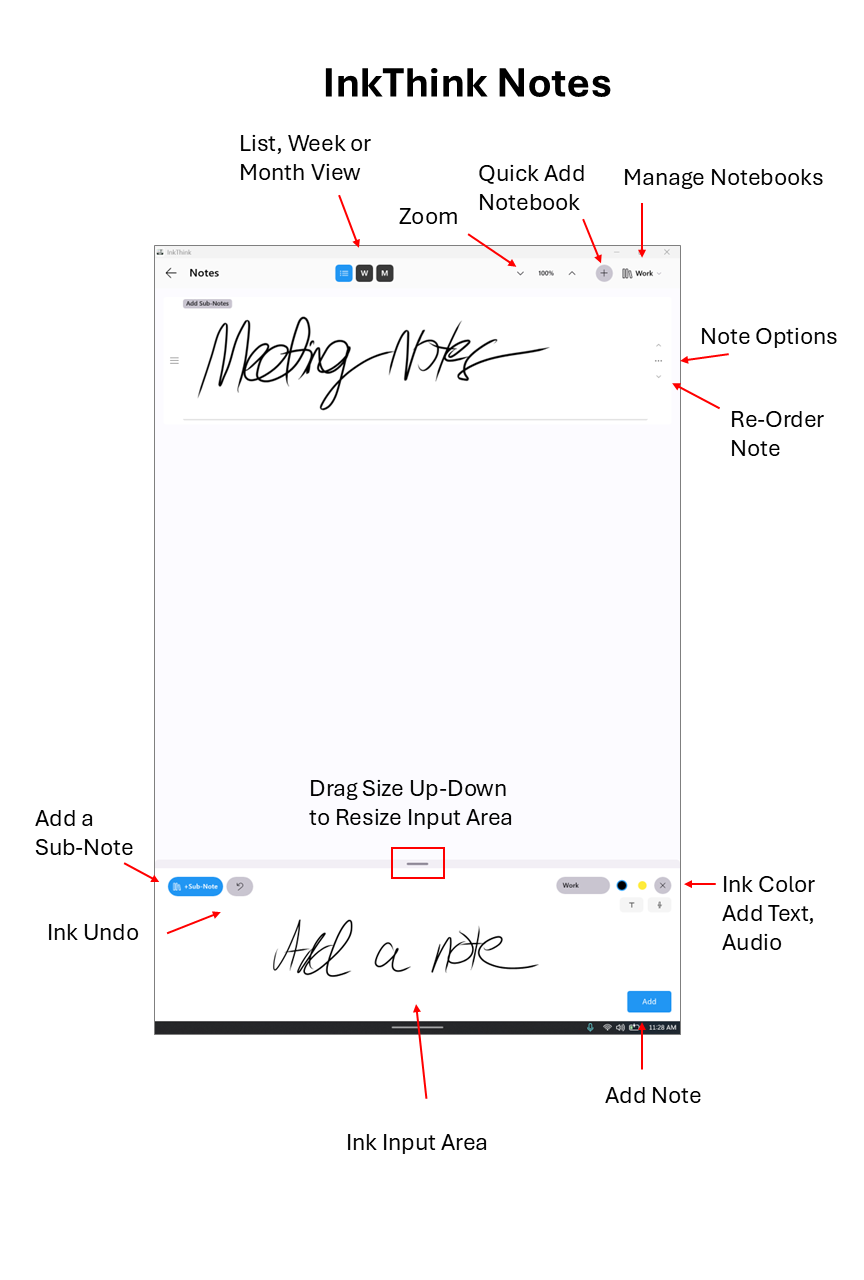
If it's the first time you are using notes then you can just start inking and then when you click save you will be prompted to give a name for this Notebook. In the future just click the + sign at the top of the app and you can create a new Notebook for your new notes. For example you might want to have a Notebook for 'Meeting Notes' and another one for 'Ideas' etc.
Like on Tasks you can also click for options. Options include
- Edit
- Share (Pro Feature)
- Add to Tasks
- Add to Canvas
- Move to Notebook
- Move to Top
- Move to Boom
- Delete
You can also see your notes in Week or Month views - ideal if you are looking to see what notes you created on what day - like a calendar of your notes!
Sub-Notes
When you are using the Notes function you simply just ink notes into your specific notebook. However, we have found that often users are taking many notes associated to a 'session' within that notebook. To help organize notes for a particular 'sub' session we've introduced sub-notes. You'll have a parent ink note with sub-notes within it. Let me explain.
For example, let's say I have a notebook for a project. Each week we have a meeting. Now using the notes function I can start inking my first note as normal. Unlike before, where I would just click the + button and save my single note, I will instead click the 'Sub-Note' button on the left.

The parent note is saved but you are now in sub-note mode:
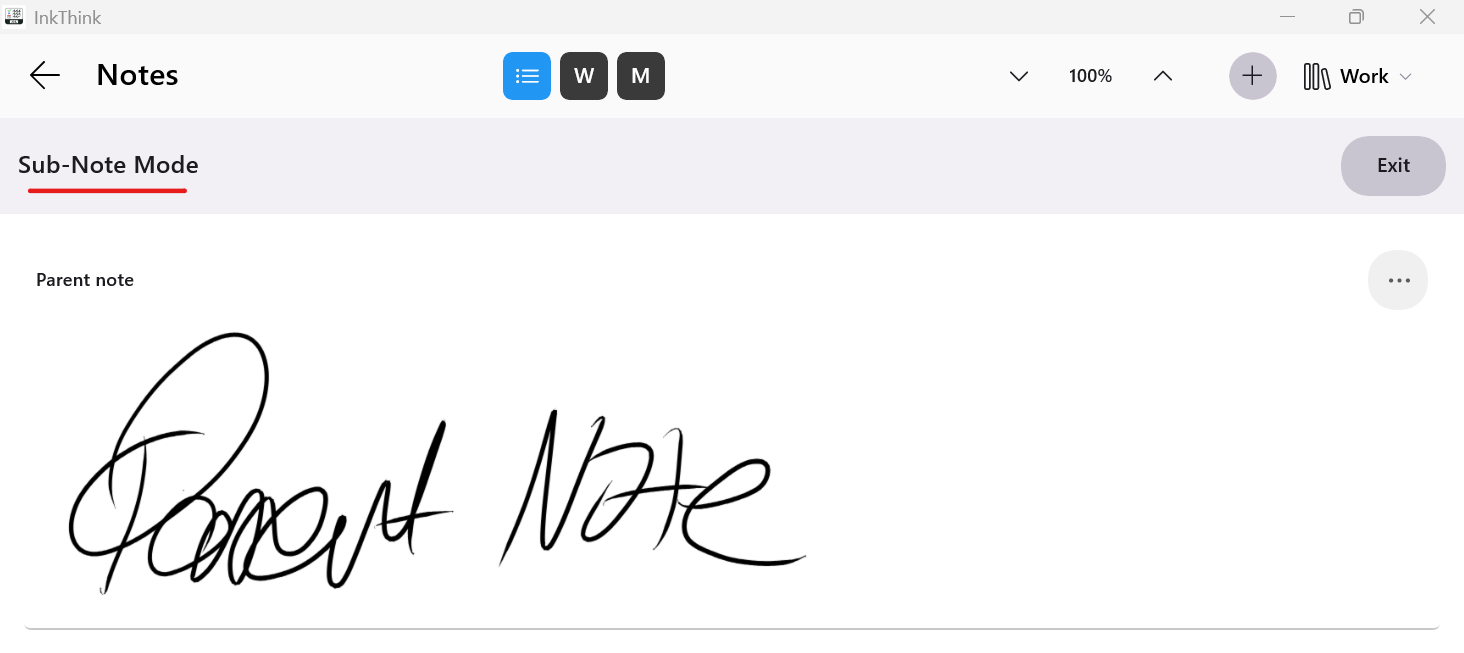
You can now continue to ink sub-notes, and they will appear in this new list view below the parent ink note. All these new sub-notes are associated to that first parent note.
The
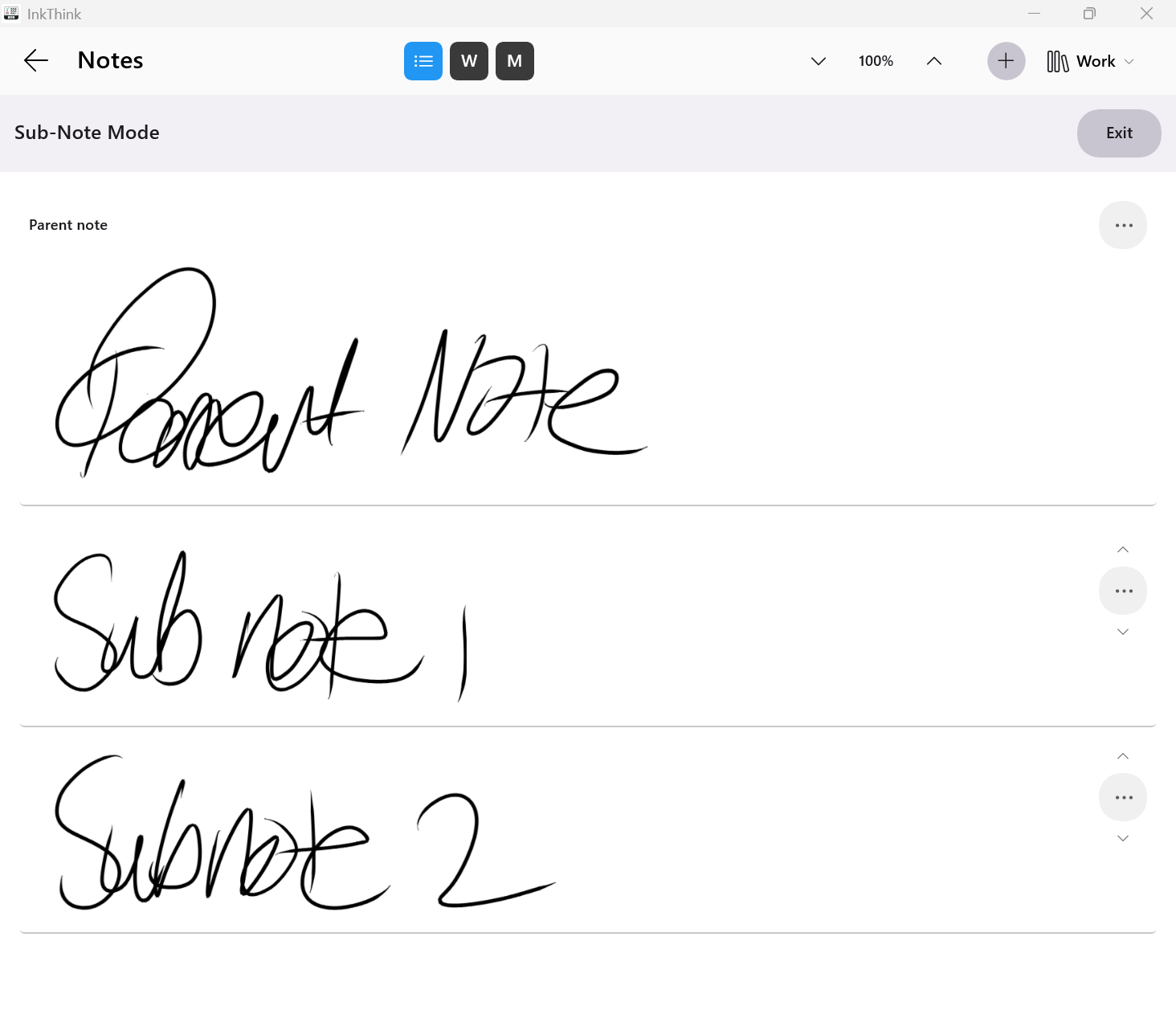
Cool huh! so now you can add many notes for this meeting, and it won't be cluttered when you go back to the main view, when you click Exit.
When I click Exit we are returned to the normal note view.
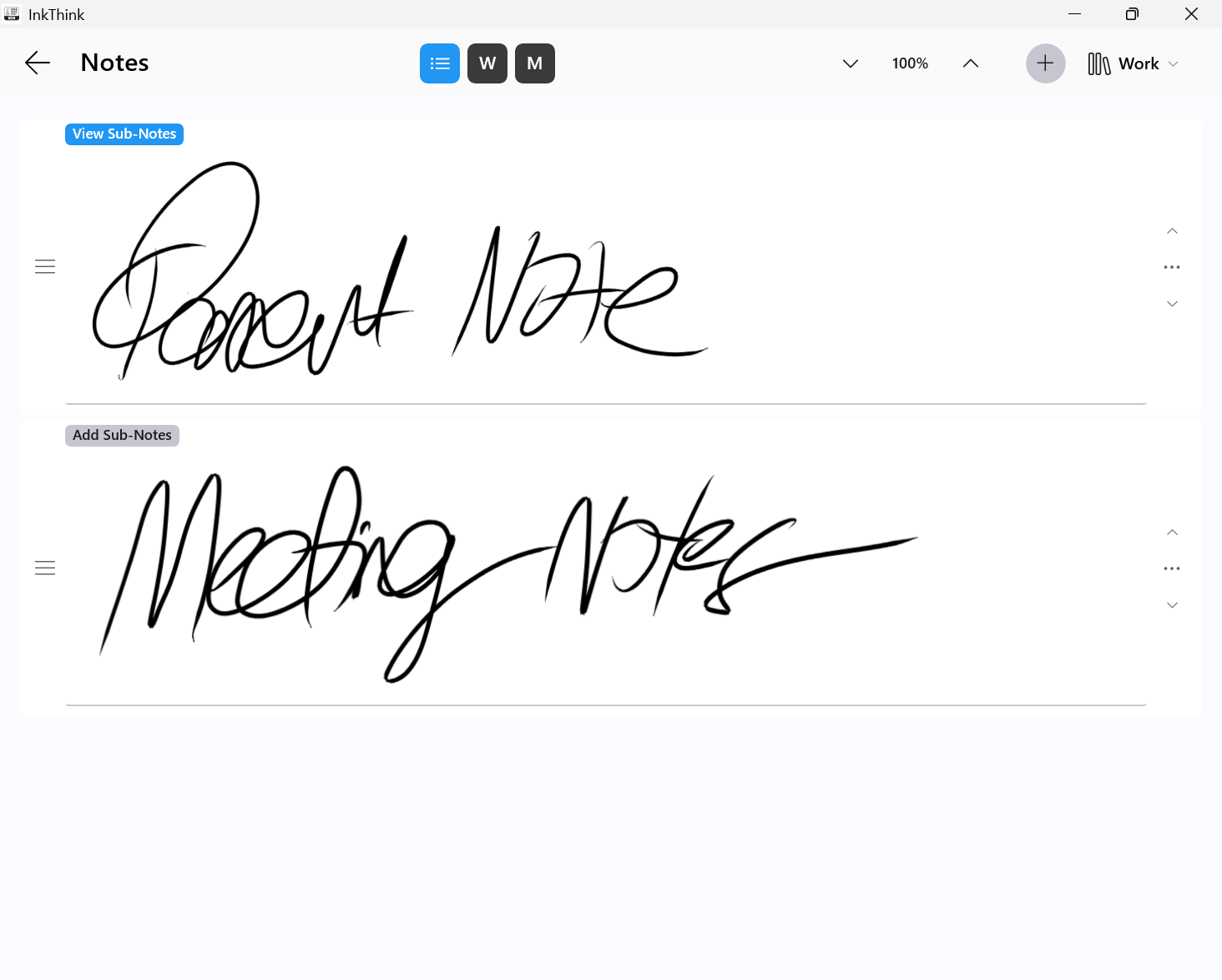
Now we only see the first ink note for that meeting, so the view is less cluttered. But that view has a blue 'Sub-Notes' icon which when you click will bring up all the sub notes for that note - all the notes you took for that meeting.
This way you can keep one notebook and have a more streamlined collection of notes for each meeting for the project.
I know this sounds complicated as we write it out but in practice its much simpler - basically a set of sub-notes with a note :)