
Habits
Habits is a fun little feature to help you manage your daily habits.
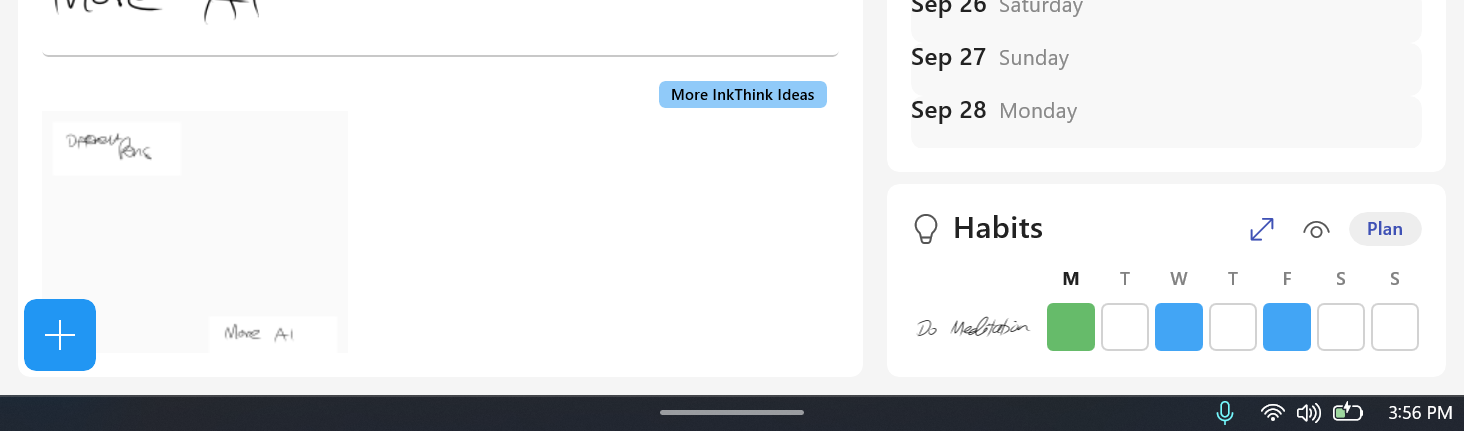
Here is how it works.
- Create a task and label it as a 'Habit'
- You will see on the home screen the habit window appear
- Click the Plan button to set the frequency of your habit for the week - just click the squares for each day you want to do your habit. They will turn blue. Then click save.
- Your habit monitor is now on the dashboard. Then each day you do a habit click the box and it turns from blue to green.
- If you missed a day it shows as red.
Simple, but effective. No need to make a big deal out of it!
Here's a quick video to show how it works;